Consulting
Experience
Expertise in Finance, Accounting & IT

Previously, the functions "Copy", "Cancel", "Create", and "Delete" were available for manual group-level bookings. With this new release, the "Replace" function has been added. This is intended to make it even easier for users to modify manual group-level bookings.
The "Replace" function automatically generates a cancellation document for the booking being changed and saves the amended booking record in the system under a new document number. If a booking or its cancellation is subject to a workflow, a workflow item is automatically created. The booking then requires prior approval.
When dealing with bundled documents, replacing one bundle element replaces the entire bundle.
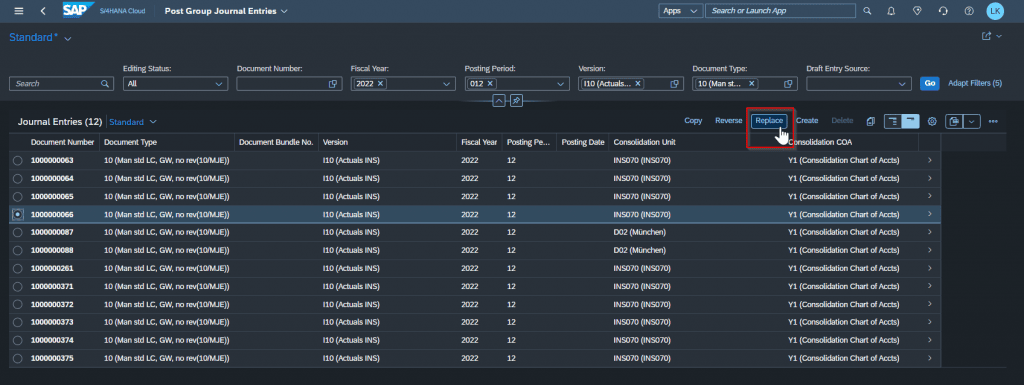
The booking document to be changed is selected in the "Book Group Booking Documents" app. Clicking the "Replace" button then takes you to the "New Booking Document" view.
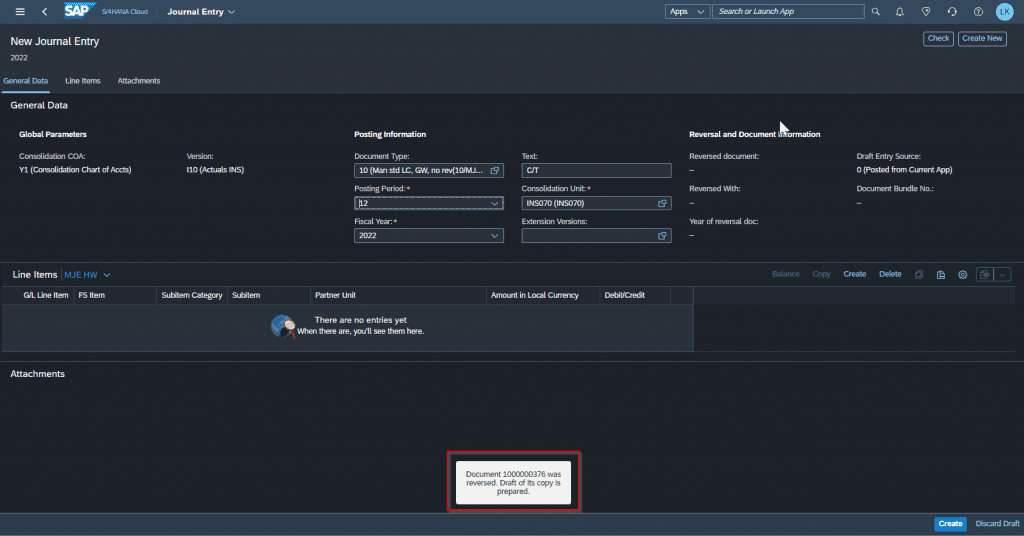
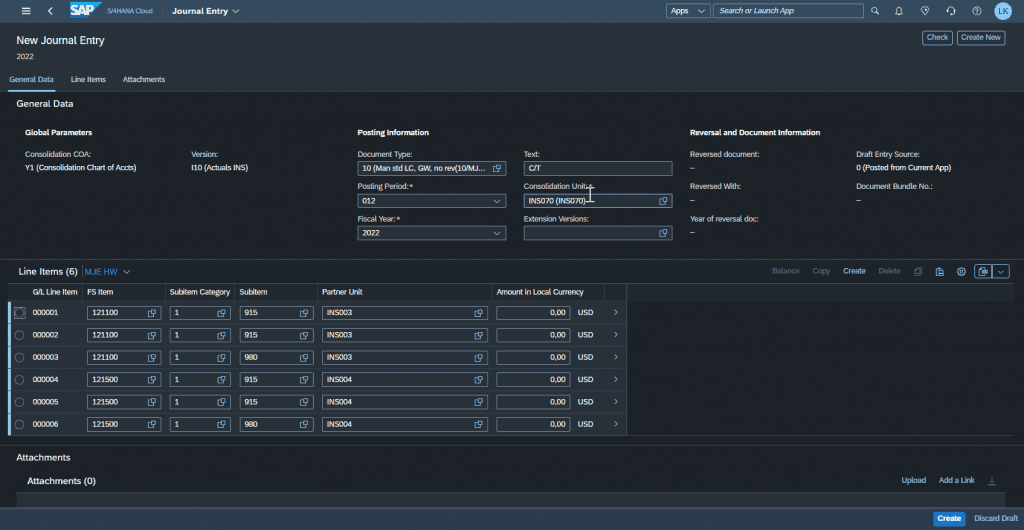
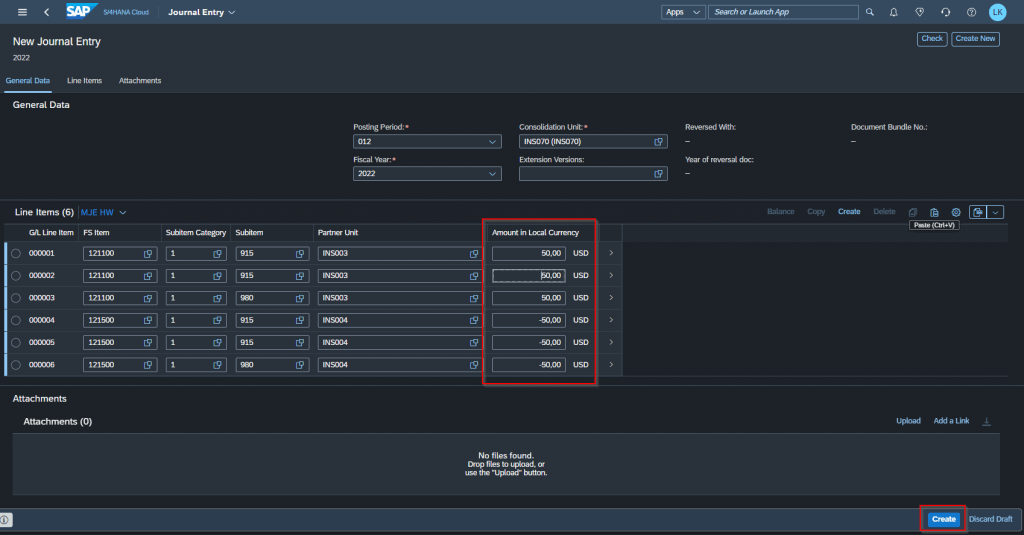
In the "New Booking Document" view, the desired changes can be made to the existing document:
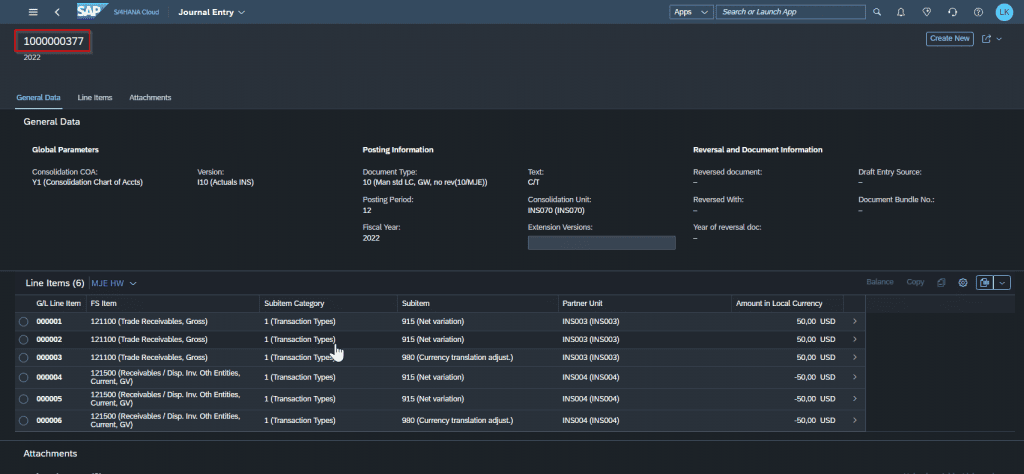
In this example, the amounts in the company currency were changed from 100 to 200 USD. The adjusted booking document was created under the new number 1000000375.
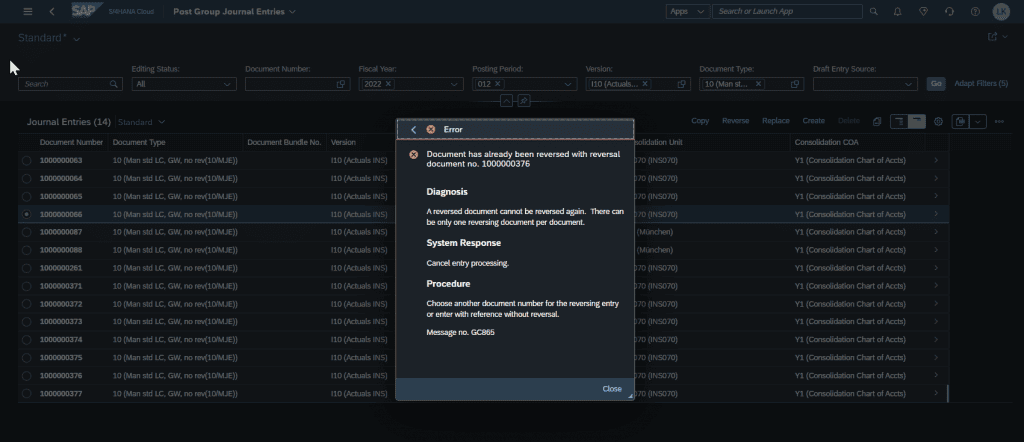
Please note that the cancellation of the selected booking is triggered immediately upon clicking the "Replace" button, even if the change process to adjust the original document via the replace function is not completed but rather aborted during processing!
If the "Replace" button has been clicked for a booking document, but the process is then canceled, the "Replace" function is no longer available for that booking document. The only remaining options are to create the desired change from scratch using the "Create" function, or to use the "Copy" function.
It is recommended that a user-friendly display layout be pre-configured in the "New Booking Document" view, especially for inexperienced users. The SAP standard layout also includes information (e.g., transactional currency) that is sometimes unused and can make the display appear confusing to the user.